➡️
Setting the Inbound routes
On the FreePBX navigate to Connectivity > Inbound Routes

Click Add inbound route
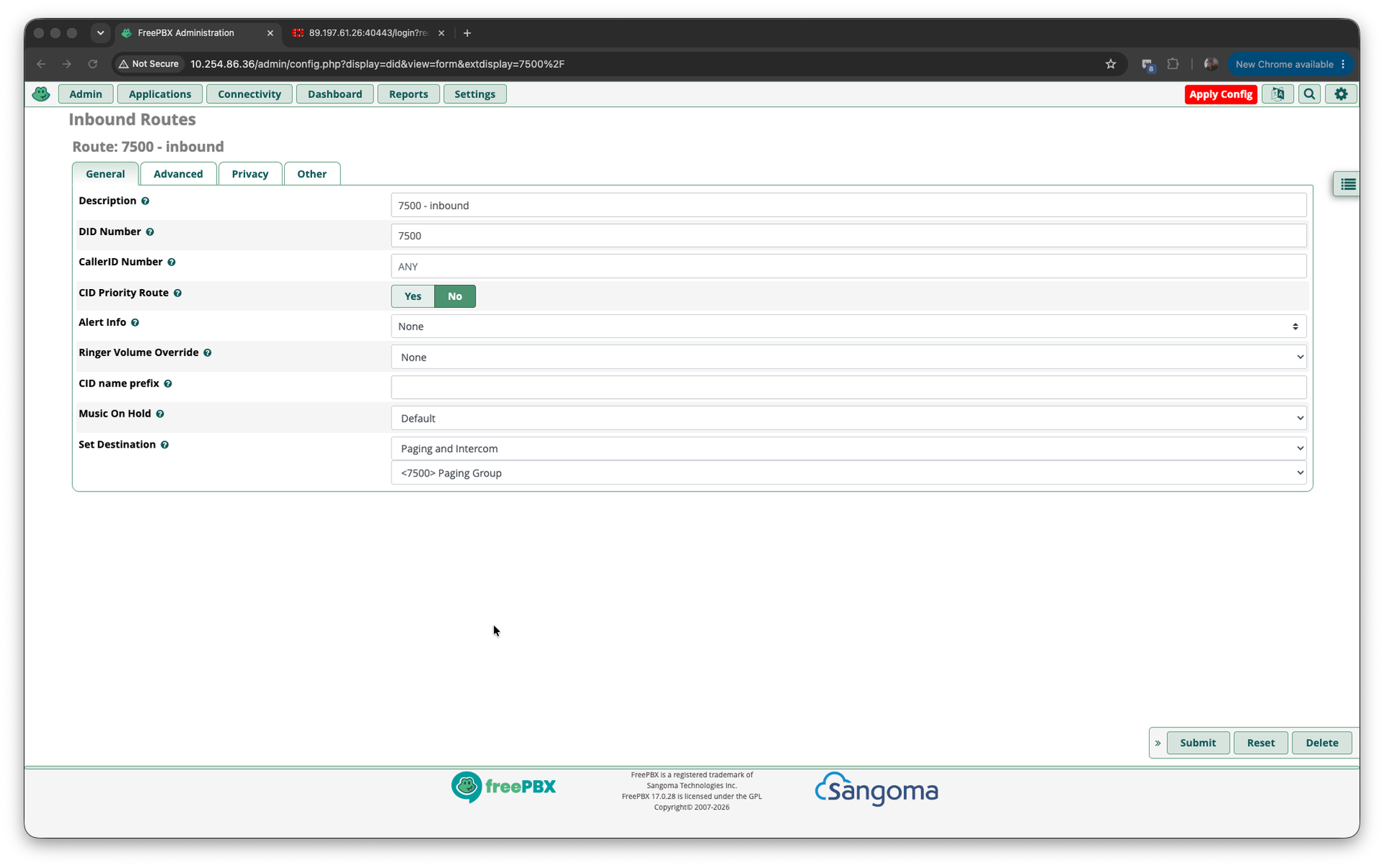
Settings
- Description : Something meaningful.
- DID Number : The number exactly as per expected digits. Example 7500
- CallerID Number : ANY
- CID Priority Route : No
- Alert Info : None
- Ringer Volume Override : None
- CID name prefix : Blank
- Music on Hold : Default
- Sert Desitination : Select Paging and Intercom and then the Paging Extension
Click on Submit and then Apply Config
Repeat for all required inbound routes.
Repeat the process for all Paging Extensions.